Information Services / Information Technology / Health Information Technology / Data Help Desk
For time-sensitive issues, call: (315) 671-3480
SmartCare Support
For SmartCare help, start with your SuperUser Teams channel for questions, guidance, and workflow clarification.
SmartCare Documentation
How SmartCare Support Works
Step 1: Contact Your SuperUser Teams Channel
Use SuperUser support first for:
- Workflow questions
- Guidance on documentation steps
- Clarification on process and best practice
Use your program-specific SuperUser channel first:
 In-Community SuperUser Support
Step 2: Use IT Service Desk for True System Issues
Submit an IT Service Desk ticket only for system-level problems such as:
- System errors or outages
- Access failures or login issues
- Technical functionality not working as expected
IT Frequently Asked Questions
When registering, enter only your network username (for example, first initial + last name), not your full email address. If it still doesn't register, please submit a Help Desk ticket.
Confirm you're connected to the 'Helio_Radius' Wi-Fi or plugged in with a network cable or docking station. Print jobs will not release from guest or external networks. Re-send the job after connecting and try again.
If it's regarding a loss of power, these are facilities requests.
Please do not open an IT ticket. Report suspicious messages using the "Phish Alert Report" button in Outlook. Keep in mind, we send out phishing tests, and reporting via "Phish Alert Report" the gets you a gold star on the phishing report!
Use the Company Portal app to install approved Helio apps. The Apple App Store is restricted on company devices; install from Company Portal instead.
Most users do not require VPN access. The VPN client is installed on all company devices, but access is granted only to specific roles (Operational Support and Leadership). If you believe you need access or are having trouble connecting, please submit a ticket. For step-by-step instructions on connecting, see the How-To on The Hub. If you believe you need access or are having trouble connecting, please submit a Help Desk ticket.
UKG uses single sign-on (SSO), so you login using your same information to logon to Office365. If you cannot login to UKG, please submit a Help Desk ticket or call (315) 671-3480. If you are able to login, but have questions or issues inside of UKG, please submit an HR Ticket for assistance.
Avatar Issues
Experiencing issues in Avatar (e.g., Final to Draft Override, Move Selected Data, Progress Note Corrections, Approve Override, Treatment Plan Status Override, Treatment Plan Deletion, etc)? Please contact a designated Super User first for rapid assistance before opening a Help Desk ticket.
Step 1: Find your service type below and email one of the listed Super Users.
Step 2: If there is no response, or the matter is critical to patient safety, or unable to administer medication and there is no work-around, submit a Help Desk ticket.
Helio Health - IS/IT/HIT/Data Help Desk
For time-sensitive issues, call: (315) 671-3480
Submit a Help Desk TicketTo access the HelpDesk Portal, select the "Sign in with Microsoft" button on the Managed Solution support site.
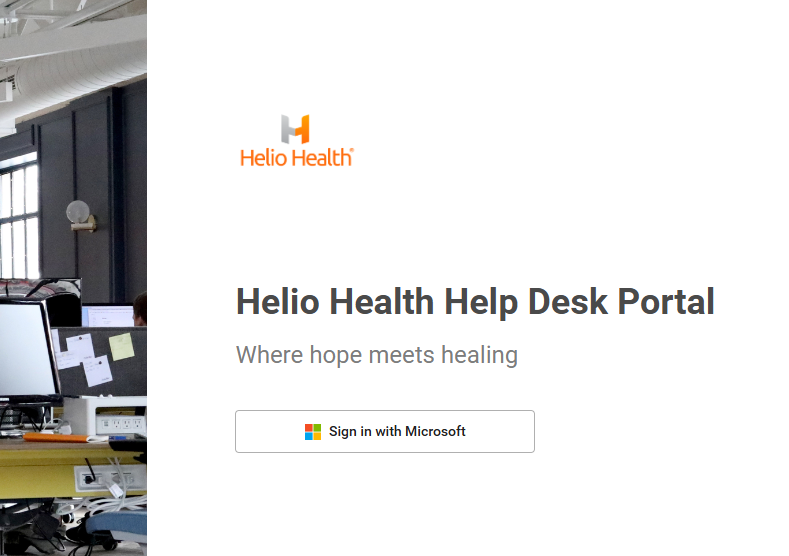
EXAMPLE
If you are unable to login to the portal please call the Support Line: (315) 671-3480.